A seguir, descreve-se o processo de atualização do software do sistema NetHSM. Este método de instalação só deve ser utilizado se a atualização descrita em Software Update não estiver disponível. Siga as instruções à risca para evitar qualquer eliminação acidental de dados. Recomenda-se exportar uma cópia de segurança do NetHSM antes de efetuar a atualização.
The system software update can be performed as follows.
Download the installer image ending with installer.img.zip from the provided private download page.
Descompacte a imagem do instalador.
Write the installer image to a USB flash drive.
For this you could use the graphical tool balenaEtcher.
On Linux you could also use the command line tool dd.
Ignore any warning that a partition table is missing.
Ligue a pen USB a qualquer porta USB na parte da frente ou a uma das duas portas USB 2.0 localizadas no centro da parte de trás do aparelho. As portas USB 2.0 têm uma inserção preta no meio da porta.
Nota
Some USB drives are incompatible with the NetHSM.
This results in the NetHSM not recognizing them as a boot media.
In case the NetHSM does not boot from the connected USB drive, try a different USB drive model.
Desligue o NetHSM e desligue-o da corrente.
Connect a monitor and optionally a keyboard to the NetHSM.
Nota
Certifique-se de que apenas o teclado e a pen USB estão ligados às portas USB.
Connect the NetHSM to power and wait for 10 seconds.
Turn on the NetHSM by pressing the power button on the front.
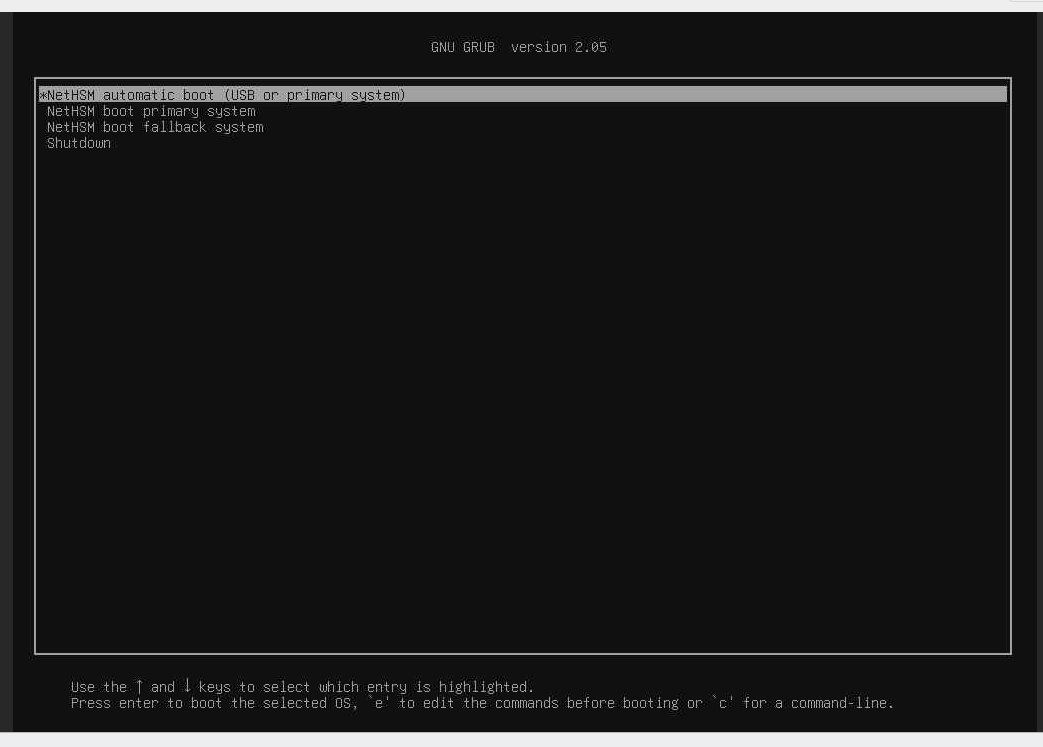
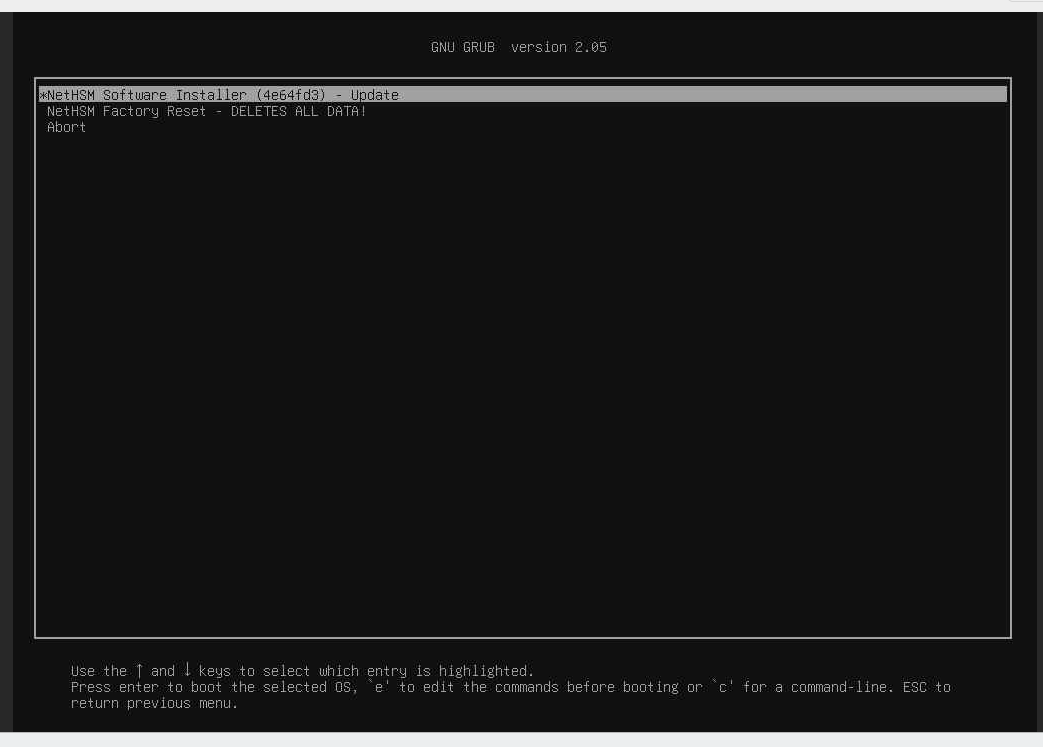
Após cerca de 30 segundos, o NetHSM apresentará um menu de arranque no monitor. Por predefinição, o menu de arranque irá executar a atualização de software. Este processo demorará cerca de 2 minutos. O equipamento desligar-se-á automaticamente após a atualização.
Alternatively you can select NetHSM automatic boot (USB or primary system) in the first boot menu and then NetHSM Software Installer in the second boot menu.
Aviso
Do NOT select NetHSM Factory Reset - DELETES ALL DATA! from the menu.
This will irrecoverably wipe the data on the disk.
Turn on the NetHSM by pressing the power button on the front.
Download the installer image ending with installer.img.zip from the provided private download page.
Descompacte a imagem do instalador.
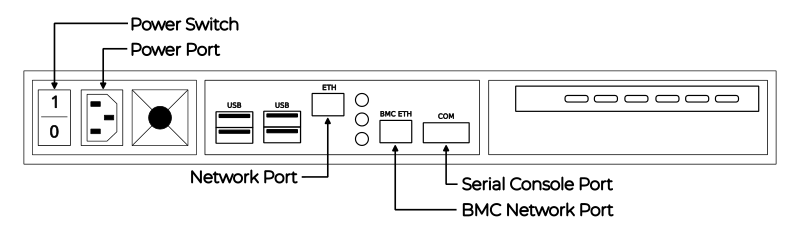
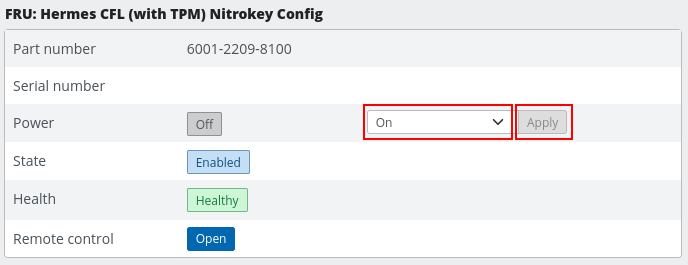
Certifique-se de que o sistema está desligado, mas ligado à corrente, e que o botão de alimentação na parte posterior está ligado.
Connect the BMC network port with a network cable.
Veja a imagem abaixo para identificar a porta de rede BMC.
Por padrão, o BMC aguardará a atribuição de um endereço com o DHCP. Se o DHCP não estiver disponível, o endereço local do link pode ser determinado com o Nmap. O comando nmap<network-in-cidr-notation>-p80--open retornará uma lista de hosts com a porta 80 aberta.
Abra o site da BMC em um navegador da Web, usando o endereço IP determinado na etapa anterior. Para fazer login, as credenciais padrão são o nome de usuário bmc_admin e a senha 8mCU$3r0nE.
Importante
In case you encounter an unauthorized login error on the BMC web interface it can be one of the following issues.
Nome de utilizador ou palavra-passe errados.
Durante a reposição de fábrica, o BMC gera um novo certificado TLS. Alguns navegadores da Web falham com erros de conexão quando o certificado é alterado enquanto a mesma janela permanece aberta. Feche a janela do navegador da Web e abra uma nova.
Por vezes, o software BMC apresenta o problema de não aceitar um cookie de sessão mais antigo que ainda se encontra na cache do navegador Web. Limpe a cache do navegador Web e tente novamente.
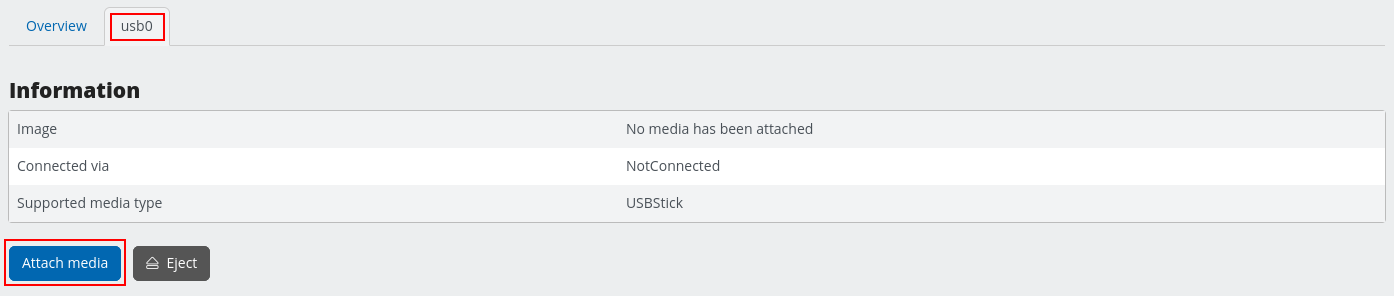
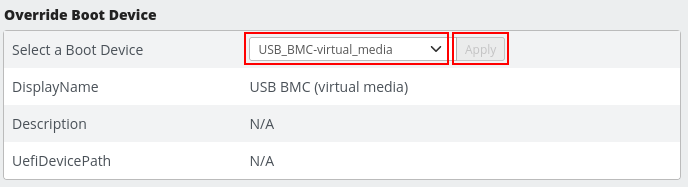
Mount the downloaded installer image by clicking in the menu on the left on FRU: Hermes CFL (with TPM) Nitrokey Config followed by Virtual media in the submenu.
In the middle open the tab usb0, and click the button Attach media.
Para mais pormenores, consultar <x id=»21»></x>esta documentação <x id=»41»></x><x id=»107»></x>.
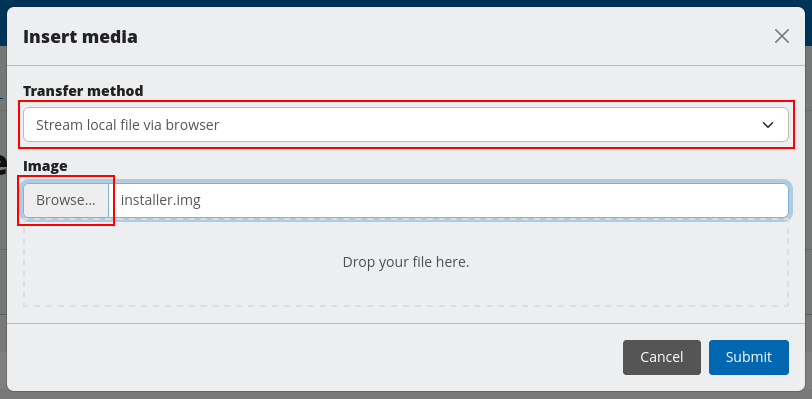
In the opening dialog choose Stream local file via browser as the Transfer method.
Click the button Browse… and choose the downloaded installer image.
Confirm the operation with the Submit button.