Nižšie je popísaný postup aktualizácie softvéru systému NetHSM. Tento spôsob inštalácie by sa mal použiť iba v prípade, ak nie je k dispozícii aktualizácia opísaná na stránke Software Update. Presne dodržiavajte pokyny, aby ste predišli náhodnému vymazaniu údajov. Pred vykonaním aktualizácie sa odporúča vytvoriť zálohu z systému NetHSM.
The system software update can be performed as follows.
Download the installer image ending with installer.img.zip from the provided private download page.
Rozbaľte obraz inštalačného programu.
Write the installer image to a USB flash drive.
For this you could use the graphical tool balenaEtcher.
On Linux you could also use the command line tool dd.
Ignore any warning that a partition table is missing.
Pripojte USB kľúč k ľubovoľnému USB portu na prednej strane alebo k jednému z dvoch portov USB 2.0, ktoré sa nachádzajú uprostred zadnej strany zariadenia. Porty USB 2.0 majú uprostred portu čiernu vložku.
Poznámka
Some USB drives are incompatible with the NetHSM.
This results in the NetHSM not recognizing them as a boot media.
In case the NetHSM does not boot from the connected USB drive, try a different USB drive model.
Vypnite zariadenie NetHSM a odpojte ho od napájania.
Connect a monitor and optionally a keyboard to the NetHSM.
Poznámka
Uistite sa, že k USB portom máte pripojenú iba klávesnicu a USB kľúč.
Connect the NetHSM to power and wait for 10 seconds.
Turn on the NetHSM by pressing the power button on the front.
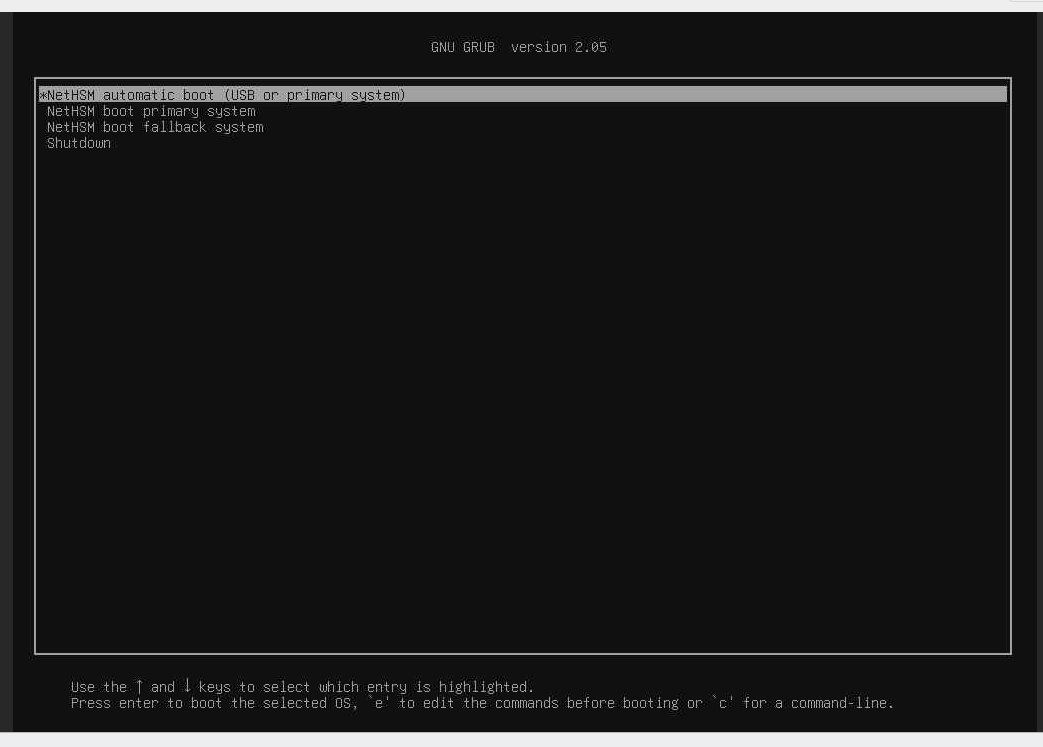
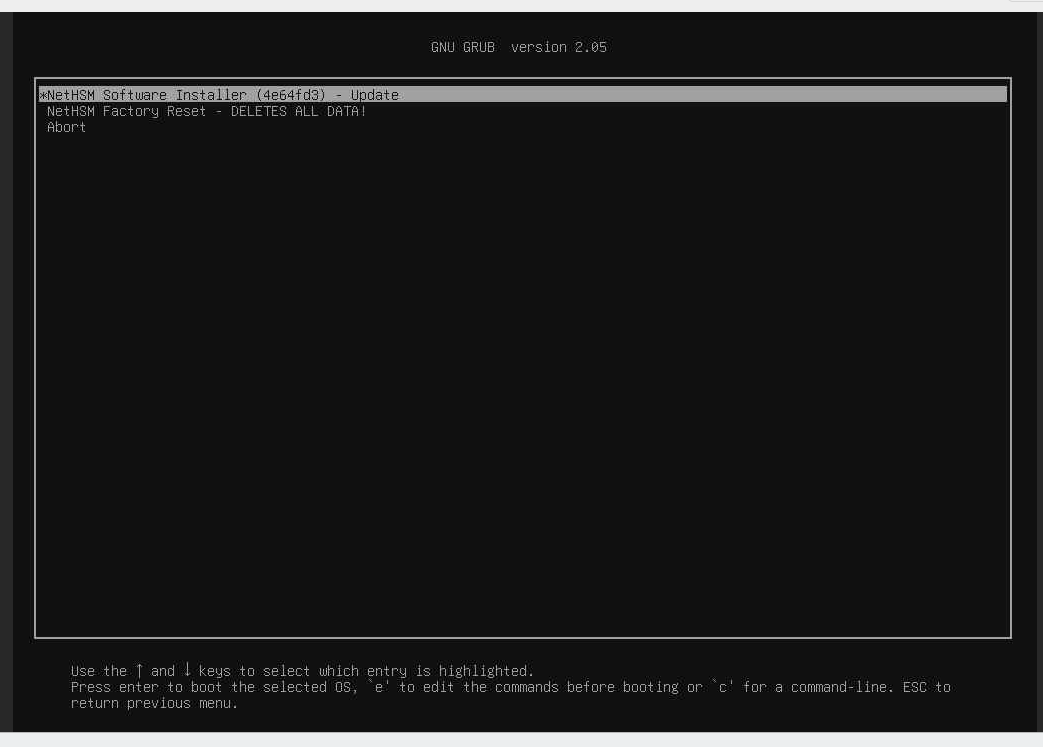
Po približne 30 sekundách sa na monitore zariadenia NetHSM zobrazí spúšťacie menu. V spúšťacom menu je predvolene nastavená aktualizácia softvéru. Tá potrvá približne 2 minúty. Po dokončení aktualizácie sa zariadenie automaticky vypne.
Alternatively you can select NetHSM automatic boot (USB or primary system) in the first boot menu and then NetHSM Software Installer in the second boot menu.
Varovanie
Do NOT select NetHSM Factory Reset - DELETES ALL DATA! from the menu.
This will irrecoverably wipe the data on the disk.
Turn on the NetHSM by pressing the power button on the front.
Download the installer image ending with installer.img.zip from the provided private download page.
Rozbaľte obraz inštalačného programu.
Uistite sa, že je systém vypnutý, ale pripojený k napájaniu, a že je zapnuté tlačidlo napájania na zadnej strane.
Pripojte sieťový port BMC pomocou sieťového kábla.
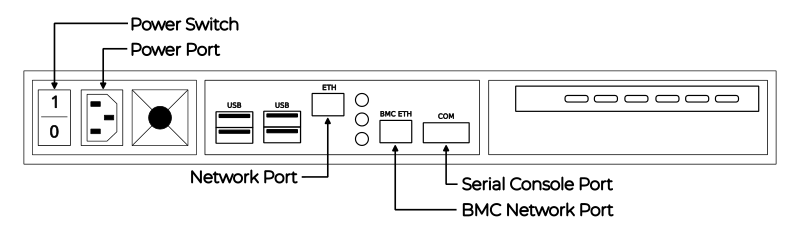
Sieťový port BMC identifikujte podľa nasledujúceho obrázka.
V predvolenom nastavení bude BMC čakať na pridelenie adresy pomocou DHCP. Ak DHCP nie je k dispozícii, link-local adresu možno určiť pomocou Nmap. Príkaz nmap<network-in-cidr-notation>-p80--open vráti zoznam hostiteľov s otvoreným portom 80.
Otvorte webovú lokalitu BMC vo webovom prehliadači pomocou určenej IP adresy z predchádzajúceho kroku. Na prihlásenie sú predvolené prihlasovacie údaje používateľské meno bmc_admin a heslo 8mCU$3r0nE.
Dôležité
In case you encounter an unauthorized login error on the BMC web interface it can be one of the following issues.
Nesprávne používateľské meno alebo heslo.
Počas obnovy výrobných nastavení BMC vygeneruje nový certifikát TLS. Niektoré webové prehliadače zlyhávajú s chybami pripojenia, keď sa zmení certifikát, zatiaľ čo to isté okno zostáva otvorené. Zatvorte okno webového prehliadača a otvorte nové.
Softvér BMC niekedy vykazuje problém, že neakceptuje staršie súbory cookie relácie, ktoré sú stále vo vyrovnávacej pamäti webového prehliadača. Vymažte vyrovnávaciu pamäť webového prehliadača a skúste to znova.
Mount the downloaded installer image by clicking in the menu on the left on FRU: Hermes CFL (with TPM) Nitrokey Config followed by Virtual media in the submenu.
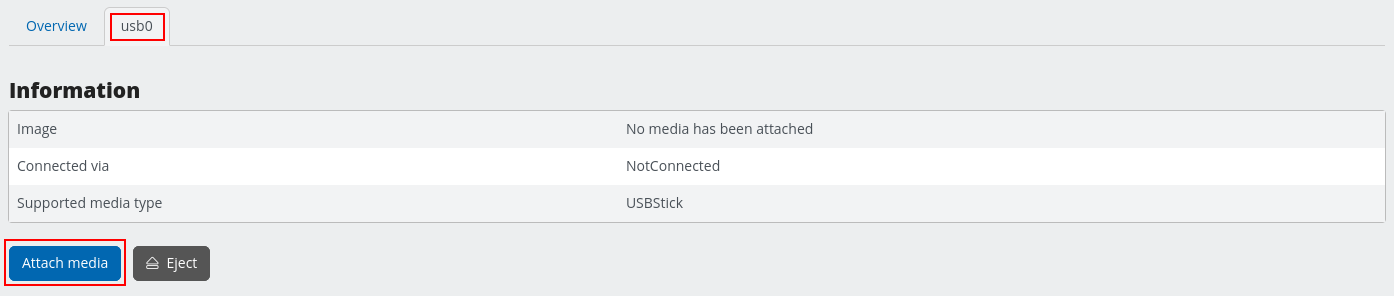
In the middle open the tab usb0, and click the button Attach media.
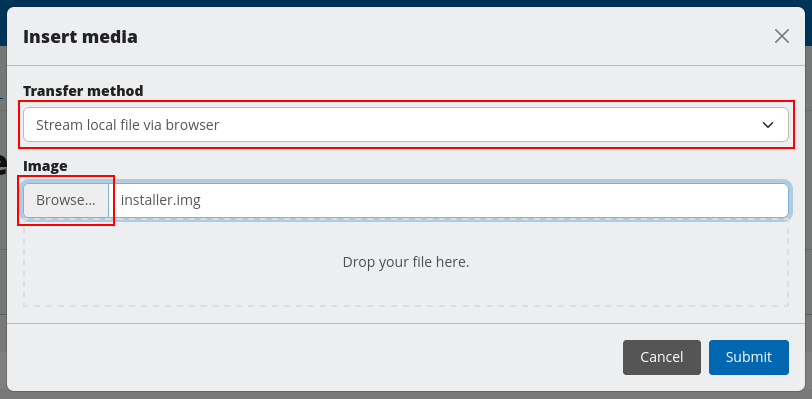
In the opening dialog choose Stream local file via browser as the Transfer method.
Click the button Browse… and choose the downloaded installer image.
Confirm the operation with the Submit button.