Poniżej opisano proces aktualizacji oprogramowania systemu NetHSM. Z tej metody instalacji należy korzystać wyłącznie w przypadku, gdy aktualizacja opisana na stronie Software Update nie jest dostępna. Należy ściśle przestrzegać instrukcji, aby zapobiec przypadkowemu usunięciu danych. Przed przeprowadzeniem aktualizacji zaleca się utworzenie kopii zapasowej danych z urządzenia NetHSM.
The system software update can be performed as follows.
Download the installer image ending with installer.img.zip from the provided private download page.
Rozpakuj obraz instalatora.
Write the installer image to a USB flash drive.
For this you could use the graphical tool balenaEtcher.
On Linux you could also use the command line tool dd.
Ignore any warning that a partition table is missing.
Podłącz pamięć USB do dowolnego portu USB z przodu urządzenia lub do jednego z dwóch portów USB 2.0 znajdujących się pośrodku tylnej części urządzenia. Porty USB 2.0 mają czarną wkładkę pośrodku gniazda.
Informacja
Some USB drives are incompatible with the NetHSM.
This results in the NetHSM not recognizing them as a boot media.
In case the NetHSM does not boot from the connected USB drive, try a different USB drive model.
Wyłącz urządzenie NetHSM i odłącz je od zasilania.
Connect a monitor and optionally a keyboard to the NetHSM.
Informacja
Upewnij się, że do portów USB podłączone są wyłącznie klawiatura i pamięć USB.
Connect the NetHSM to power and wait for 10 seconds.
Turn on the NetHSM by pressing the power button on the front.
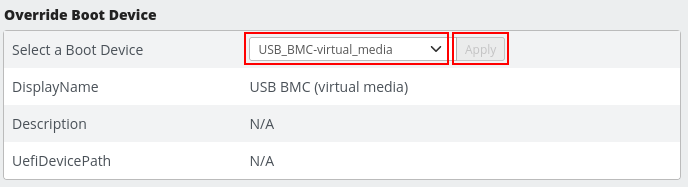
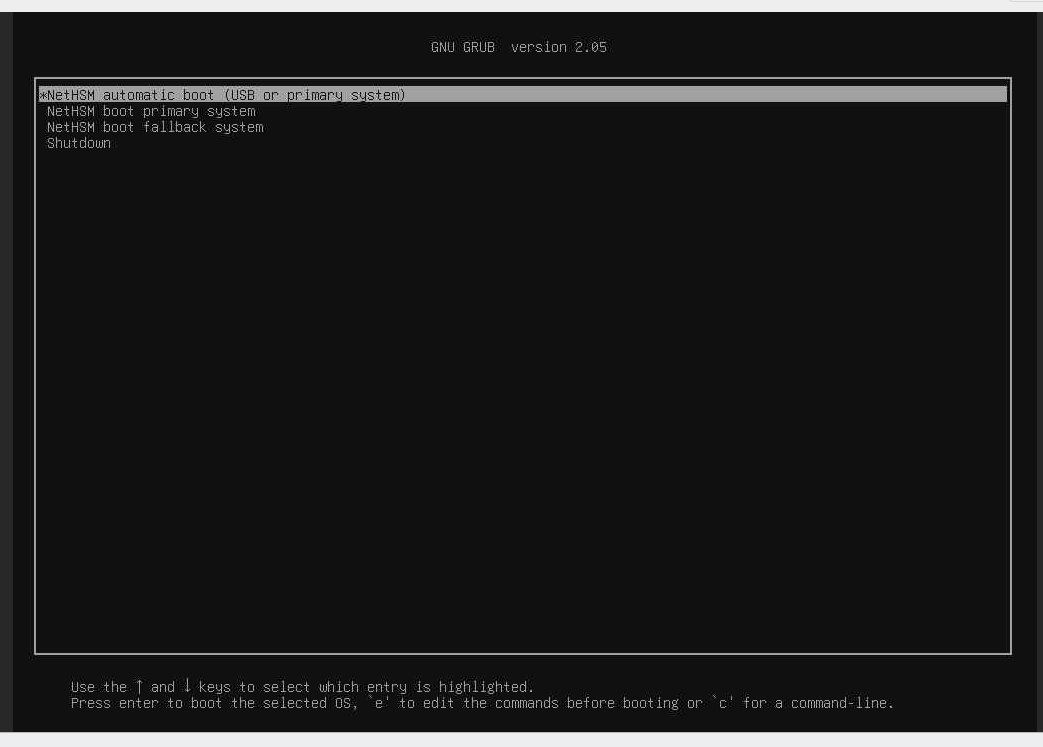
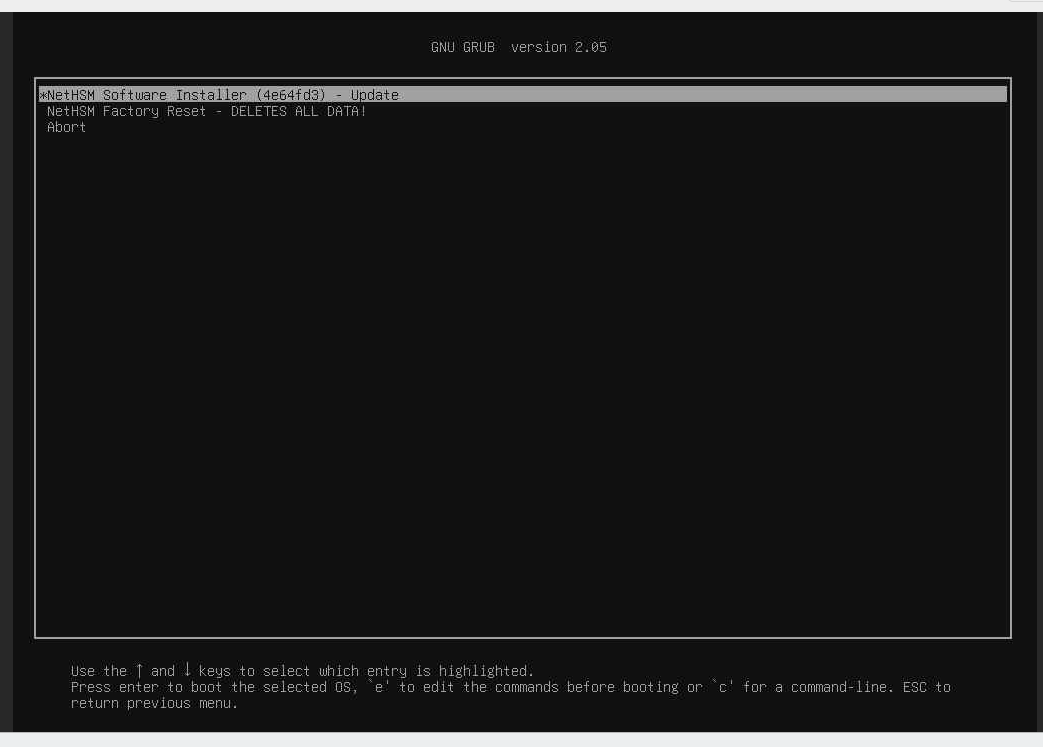
Po około 30 sekundach urządzenie NetHSM wyświetli na monitorze menu rozruchowe. Domyślnym ustawieniem menu rozruchowego jest przeprowadzenie aktualizacji oprogramowania. Trwa to około 2 minut. Po zakończeniu aktualizacji urządzenie wyłączy się automatycznie.
Alternatively you can select NetHSM automatic boot (USB or primary system) in the first boot menu and then NetHSM Software Installer in the second boot menu.
Ostrzeżenie
Do NOT select NetHSM Factory Reset - DELETES ALL DATA! from the menu.
This will irrecoverably wipe the data on the disk.
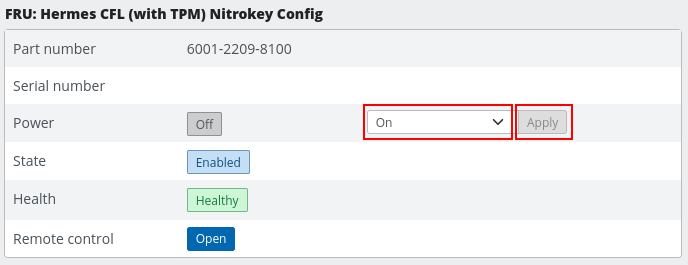
Turn on the NetHSM by pressing the power button on the front.
Download the installer image ending with installer.img.zip from the provided private download page.
Rozpakuj obraz instalatora.
Upewnij się, że system jest wyłączony, ale podłączony do zasilania, a przycisk zasilania z tyłu jest włączony.
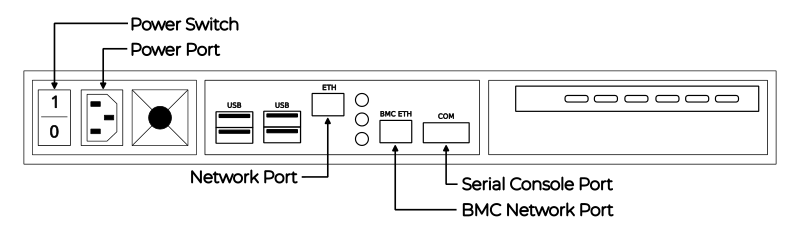
Podłącz port sieciowy BMC za pomocą kabla sieciowego.
Patrz poniższy obrazek, aby zidentyfikować port sieciowy BMC.
Domyślnie BMC będzie czekać na przypisanie adresu z DHCP. Jeśli DHCP nie jest dostępny, adres lokalny łącza można określić za pomocą Nmap. Polecenie nmap<network-in-cidr-notation>-p80--open zwróci listę hostów z otwartym portem 80.
Otwórz witrynę BMC w przeglądarce internetowej, używając adresu IP określonego w poprzednim kroku. Aby się zalogować, domyślne poświadczenia to nazwa użytkownika bmc_admin i hasło 8mCU$3r0nE.
Ważne
In case you encounter an unauthorized login error on the BMC web interface it can be one of the following issues.
Nazwa użytkownika lub hasło są nieprawidłowe.
Podczas przywracania ustawień fabrycznych BMC generuje nowy certyfikat TLS. W przypadku zmiany certyfikatu, gdy to samo okno pozostaje otwarte, w niektórych przeglądarkach internetowych występują błędy połączenia. Zamknij okno przeglądarki internetowej i otwórz nowe.
Oprogramowanie BMC czasami wyświetla komunikat, że nie akceptuje starszych plików cookie sesji, które nadal znajdują się w pamięci podręcznej przeglądarki internetowej. Wyczyść pamięć podręczną przeglądarki internetowej i spróbuj ponownie.
Mount the downloaded installer image by clicking in the menu on the left on FRU: Hermes CFL (with TPM) Nitrokey Config followed by Virtual media in the submenu.
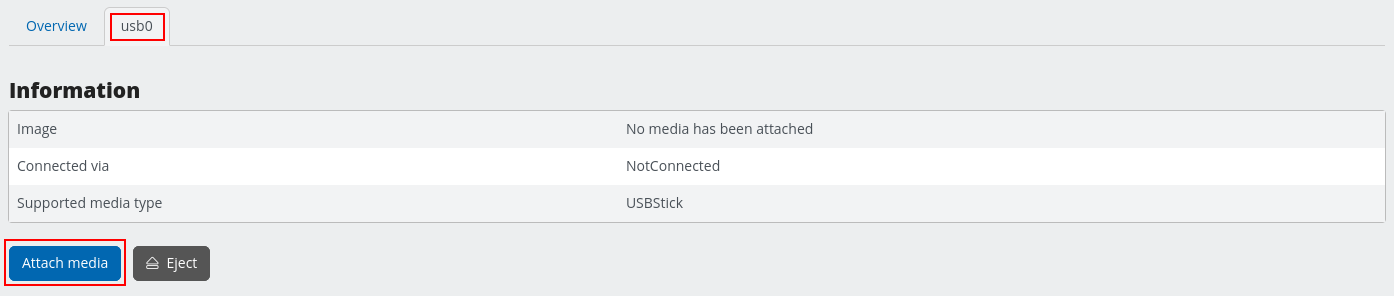
In the middle open the tab usb0, and click the button Attach media.
Menu BMC umożliwiające podłączenie urządzenia USB
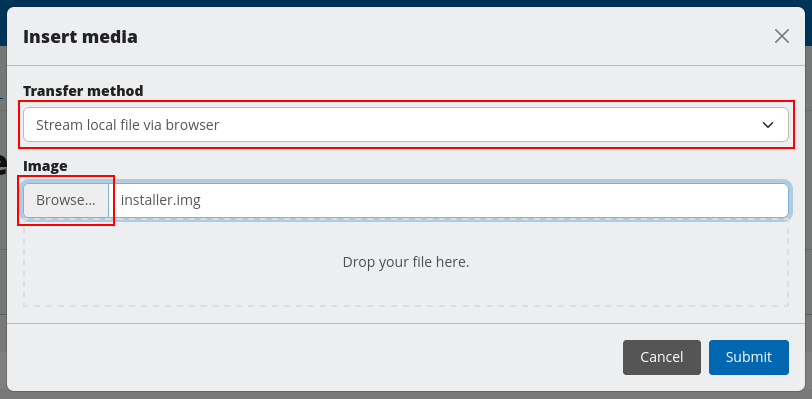
In the opening dialog choose Stream local file via browser as the Transfer method.
Click the button Browse… and choose the downloaded installer image.
Confirm the operation with the Submit button.