NitroPad, NitroPC FAQ
- Q: What is the default hard-disk encryption password?
Domyślne hasło szyfrowania dysku Nitropad: „12345678”. Zostało ono zmienione 15.01.2024, więc jeśli „12345678” nie działa, wypróbuj stare domyślne hasło: „PleaseChangeMe”.
- Q: How to change the hard-disk encryption password from within HEADS?
This is the preferred way to change the hard-disk encryption password. Inside HEADS choose
Options -> Change LUKS Disk Recovery Key passphraseand follow the instructions.
- Q: How to change the hard-disk encryption password from within the OS?
Używając domyślnych narzędzi
cryptsetupnależy pamiętać, że używane jest właściwe gniazdo klucza:sudo cryptsetup luksChangeKey --key-slot=0 /dev/nvme0n1p3lubsudo cryptsetup luksChangeKey --key-slot=0 /dev/sda3. W Qubes 4.2 istnieje teraz również narzędzie GUI do tego celu: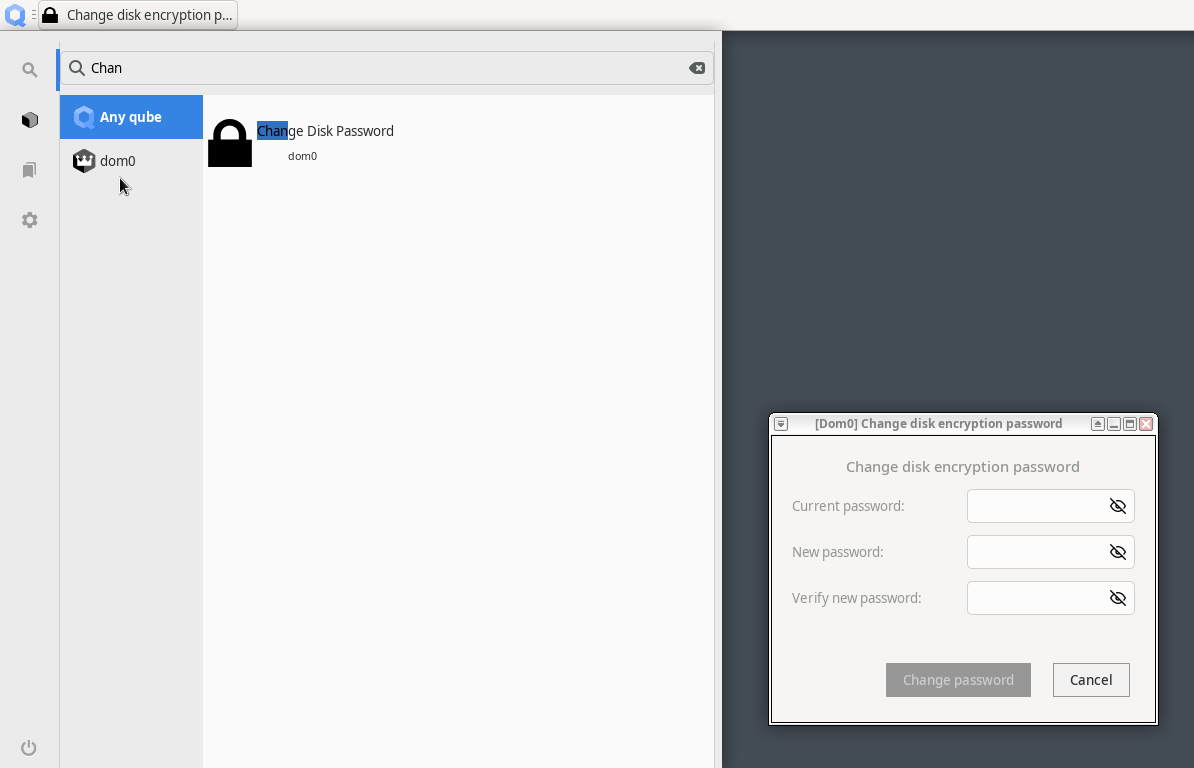
- Q: What is re-ownership / re-encryption and why is it important?
Changing your hard-disk encryption password does not change the encryption itself, just the access to the encryption key. This means that in a situation where somebody had physical access to the device (e.g., during shipment) they may have copied the LUKS header, i.e., the encryption key. Using this copy, one might decrypt the hard-disk even with a new password being set. This is why the re-ownership wizard proposes to re-encrypt the hard-disk, which re-encrypts in place ensuring the previously described scenario cannot be applied.