Ce qui suit décrit la procédure de mise à jour du logiciel du système NetHSM. Cette méthode d’installation ne doit être utilisée que si la mise à jour décrite à l’adresse Software Update n’est pas disponible. Suivez scrupuleusement les instructions afin d’éviter toute suppression accidentelle de données. Il est recommandé d’exporter une sauvegarde depuis le NetHSM avant de procéder à la mise à jour.
The system software update can be performed as follows.
Download the installer image ending with installer.img.zip from the provided private download page.
Décompressez l’image d’installation.
Write the installer image to a USB flash drive.
For this you could use the graphical tool balenaEtcher.
On Linux you could also use the command line tool dd.
Ignore any warning that a partition table is missing.
Branchez la clé USB sur n’importe quel port USB situé à l’avant ou sur l’un des deux ports USB 2.0 situés au centre de la face arrière de l’appareil. Les ports USB 2.0 sont reconnaissables à un insert noir au milieu du port.
Note
Some USB drives are incompatible with the NetHSM.
This results in the NetHSM not recognizing them as a boot media.
In case the NetHSM does not boot from the connected USB drive, try a different USB drive model.
Éteignez le NetHSM et débranchez-le du secteur.
Connect a monitor and optionally a keyboard to the NetHSM.
Note
Assurez-vous que seuls le clavier et la clé USB sont branchés sur les ports USB.
Connect the NetHSM to power and wait for 10 seconds.
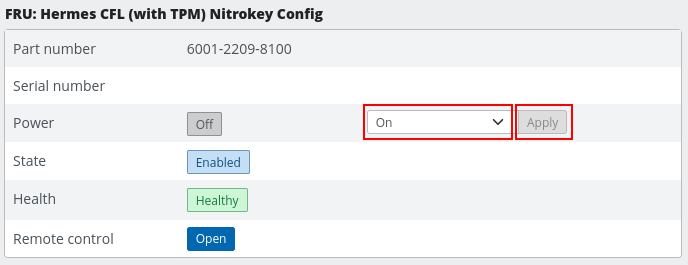
Turn on the NetHSM by pressing the power button on the front.
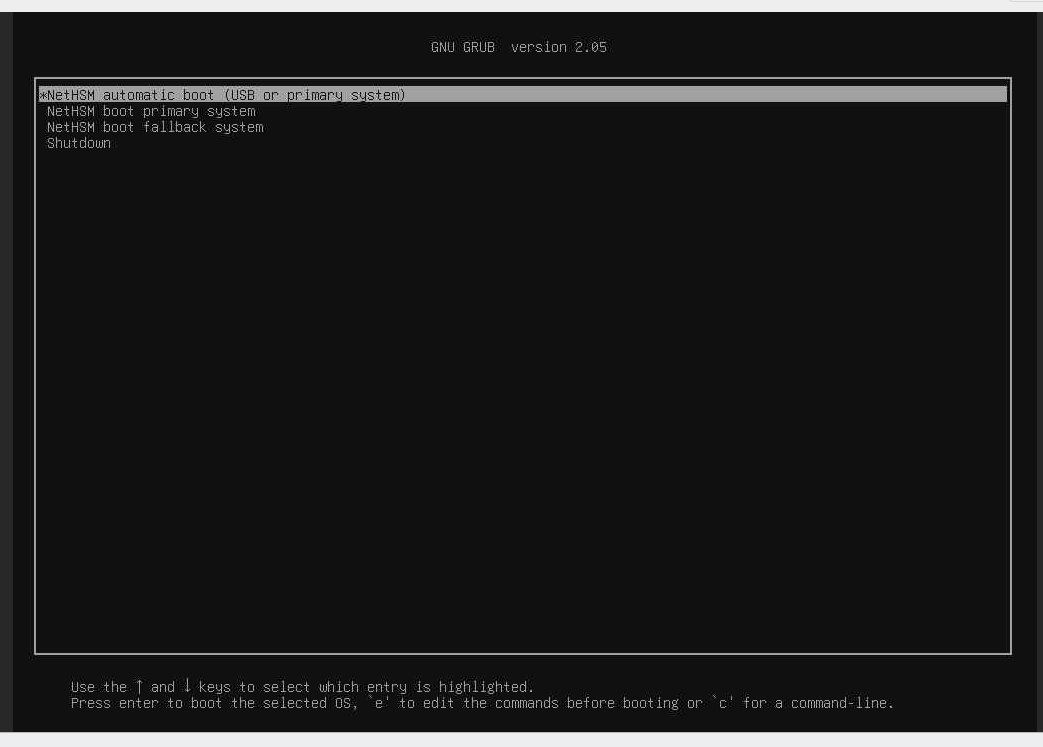
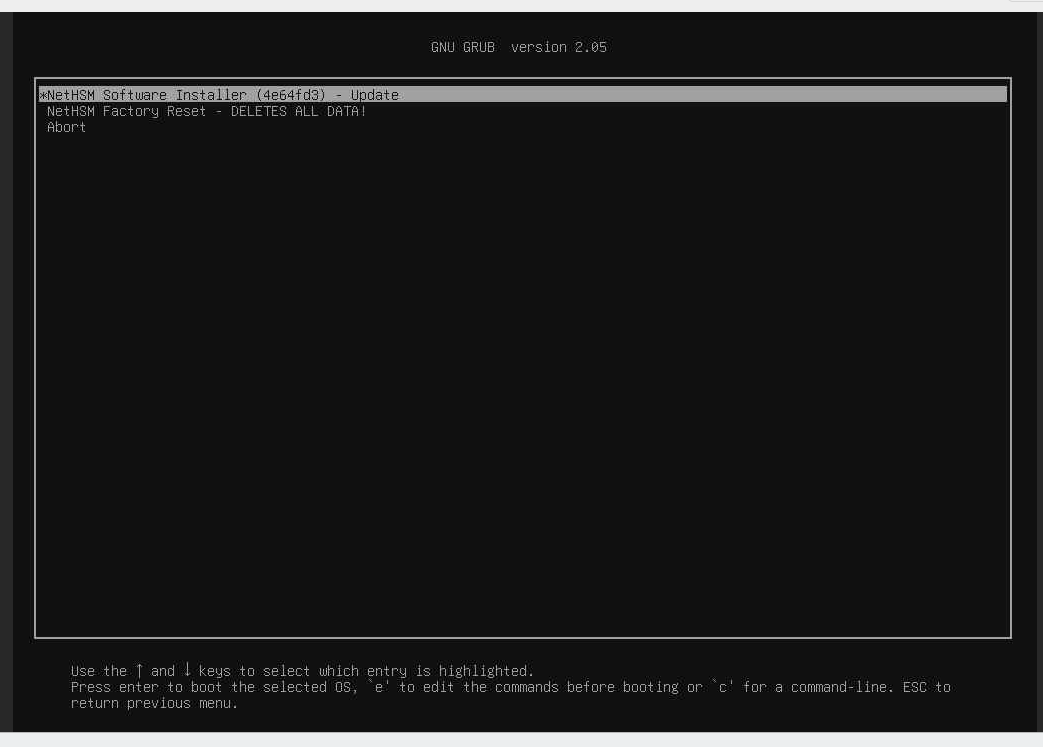
Au bout d’environ 30 secondes, le NetHSM affichera un menu de démarrage à l’écran. Par défaut, ce menu de démarrage lancera la mise à jour logicielle. Cette opération prendra environ 2 minutes. L’appareil s’éteindra automatiquement une fois la mise à jour terminée.
Alternatively you can select NetHSM automatic boot (USB or primary system) in the first boot menu and then NetHSM Software Installer in the second boot menu.
Avertissement
Do NOT select NetHSM Factory Reset - DELETES ALL DATA! from the menu.
This will irrecoverably wipe the data on the disk.
Turn on the NetHSM by pressing the power button on the front.
Download the installer image ending with installer.img.zip from the provided private download page.
Décompressez l’image d’installation.
Assurez-vous que le système est éteint, mais connecté à l’alimentation, et que le bouton d’alimentation situé à l’arrière est activé.
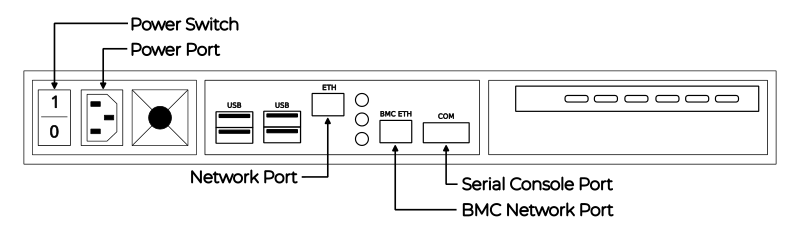
Connectez le port réseau du BMC à l’aide d’un câble réseau.
Voir l’image ci-dessous pour identifier le port réseau du BMC.
Par défaut, le BMC attendra l’attribution d’une adresse par DHCP. Si DHCP n’est pas disponible, l’adresse locale peut être déterminée avec Nmap. La commande nmap<network-in-cidr-notation>-p80--open renvoie une liste d’hôtes dont le port 80 est ouvert.
Ouvrez le site Web de BMC dans un navigateur Web, en utilisant l’adresse IP déterminée à l’étape précédente. Pour vous connecter, les identifiants par défaut sont le nom d’utilisateur bmc_admin, et le mot de passe 8mCU$3r0nE.
Important
In case you encounter an unauthorized login error on the BMC web interface it can be one of the following issues.
Nom d’utilisateur ou mot de passe erroné.
Lors de la réinitialisation d’usine, le BMC génère un nouveau certificat TLS. Certains navigateurs web génèrent des erreurs de connexion lorsque le certificat change alors que la même fenêtre reste ouverte. Fermez la fenêtre du navigateur web et ouvrez-en une nouvelle.
Le logiciel BMC montre parfois qu’il n’accepte pas un ancien cookie de session qui se trouve encore dans la mémoire cache du navigateur web. Effacez la mémoire cache du navigateur et réessayez.
Mount the downloaded installer image by clicking in the menu on the left on FRU: Hermes CFL (with TPM) Nitrokey Config followed by Virtual media in the submenu.
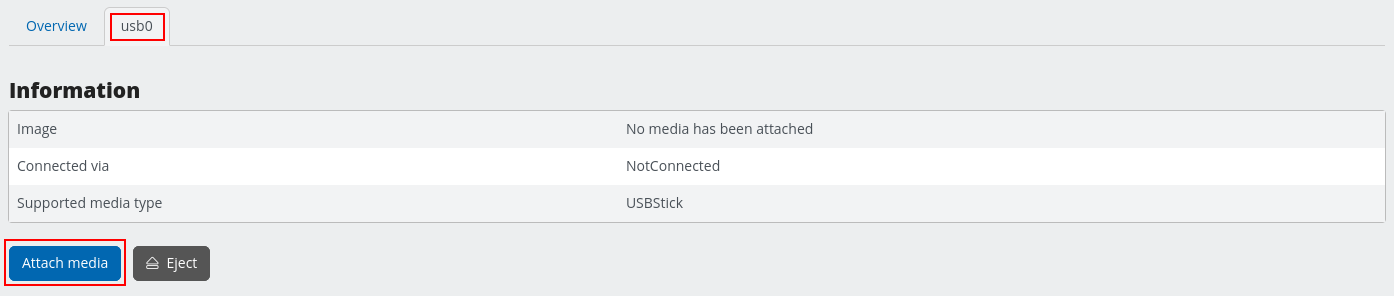
In the middle open the tab usb0, and click the button Attach media.
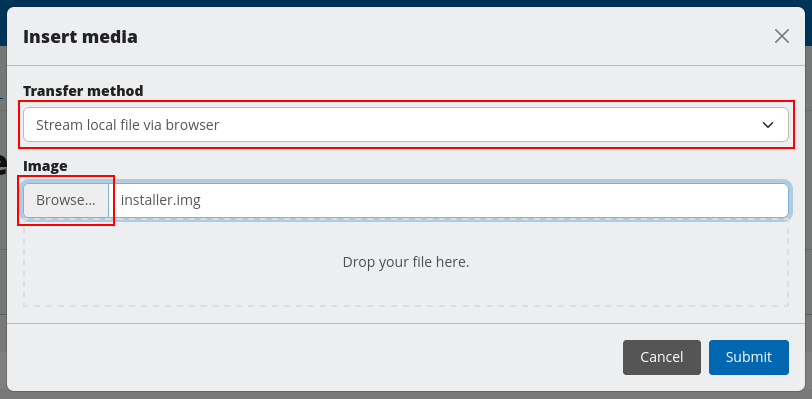
In the opening dialog choose Stream local file via browser as the Transfer method.
Click the button Browse… and choose the downloaded installer image.
Confirm the operation with the Submit button.
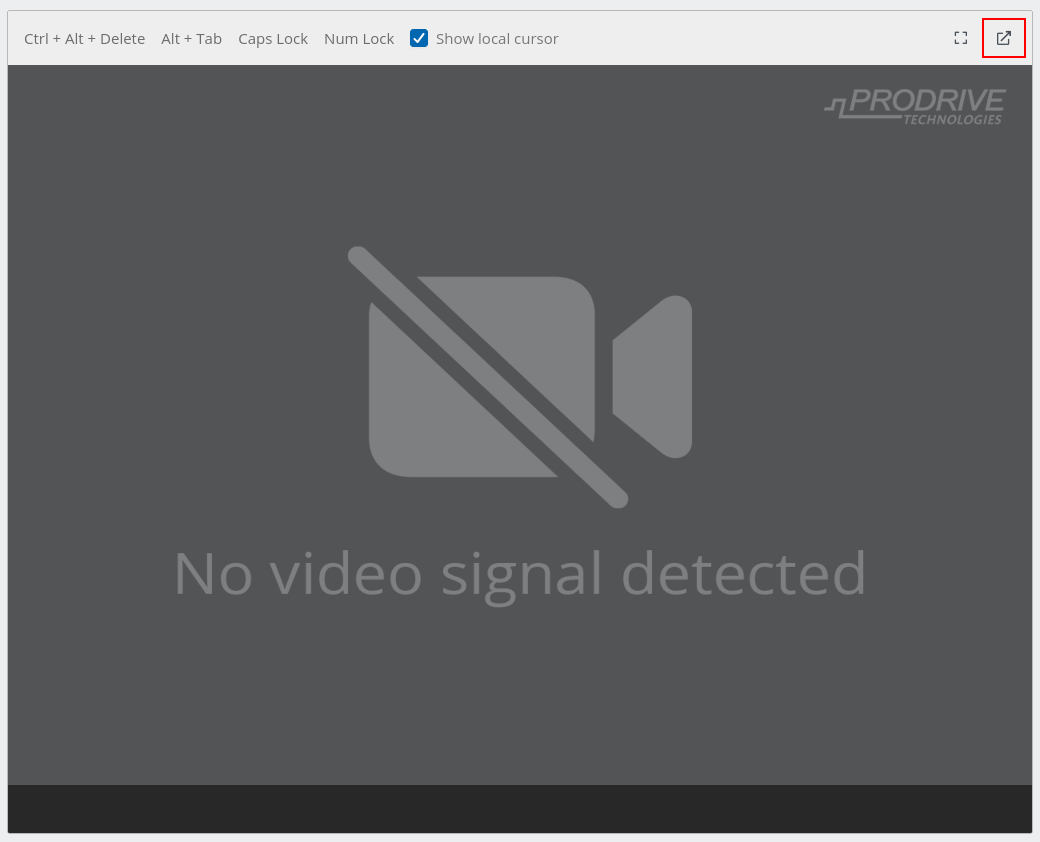
Cette fenêtre vous montrera la sortie graphique du programme d’installation de NetHSM. Laissez cette deuxième fenêtre ouverte en même temps que la fenêtre principale de la BMC.
Change to the view Overview from the top of the menu on the left.
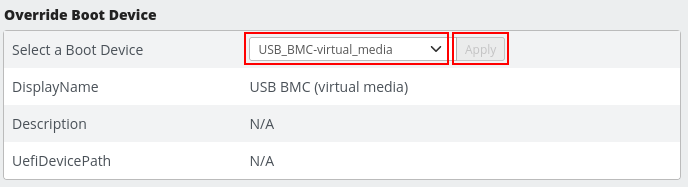
In the box Override Boot Device, select USB_BMC-virtual_media from the drop-down next to Select a Boot Device.